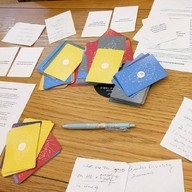
Curious Souls Café
Quick Tip: Focus & Reflect
You have started your collection! In the "Saved" tab, tap the Zoom icon on any selected question to enter Focus Mode. In the "Log" and "Journal" tabs, tap the Expand icon on any question to enter Zen Mode to read/write your thoughts without distractions.
Welcome to Your Collection 🌿
This space is quite empty right now, but it won't stay that way.
1. Explore
Browse topics and find questions.
2. Save
Tap the icon on any item to collect it here.
3. Log & Journal
Return here to revisit items, write notes and journal (if you are logged in).
Data is stored locally on your device
Your collection is empty.
Text copied!
External Web Search
External Translation
Tip: Paste manually if the text doesn't appear automatically.
How are you feeling?
✨ Spark a Thought
Draw a card to get a new perspective on this topic.
🧠 Thinking Toolkit
Choose a mental model to structure your thoughts:
📂 Your Collection
1. Focus
Tap Pick Random for spontaneity. Select an item and use the icon to zoom in to reduce distraction.
2. Curate
Use the Clear button to reset all, or on specific items to remove them one by one. Be careful associated notes/reflections are removed.
3. Export
Use the Export (Print/Output) button to generate a printer-friendly PDF or HTML file of your questions and notes.
Data Safety: Items are saved in your browser's local memory. Plan to clear cache or switch devices? Tap Backup (in Lab) to save a file first.
🖊️ The Art of Reflection
1. Slow Down
There is no rush. Take a deep breath. Use Zen Mode (the icon) to block out distractions and focus on one question.
2. Go Deeper
Stuck? Use the Thinking Toolkit button to structure your thoughts (like "5 Whys") or the Idea button for a nudge.
3. Write for Yourself
Be honest. This data lives only on your device. No one else sees it unless you choose to share it.
Pro Tip: Regularly use the Backup button to save your items and notes/reflections to a file, so you don't lose them if you clear your browser.
📋 The Art of Field Notes
1. Stay Objective
Capture what is actually happening in the room. Use the Tools button to quickly insert frameworks like ORID Debrief or the Tangent Log.
2. Track Room Dynamics
Use the Smiley icon to quickly timestamp the energy of the room (e.g., Deep/Quiet, Heated, Breakthrough) without typing a word.
3. Work Fast
Don't worry about perfect sentences. Jot down bullet points. If you lose your place as a facilitator, hit the Idea button for a quick observational prompt.
Print & Export Options
Customize your Curious Souls Report.
Save Your Data (Experimental)
About this Backup
This action creates a JSON file. It is coded for computers to restore your data later.
Your data, your device. Keep this file safe—we don't have a backup!
It is not meant to be read by humans.
Confirmation
Text copied!
Tip: Paste manually if the text doesn't appear automatically.
Heads-up: How Your Notes are Saved
Notes and Saved Items are stored unencrypted in your browser's local storage. For privacy, please clear data before sharing this device. And this data is subject to loss if you clear your browser's cache, change devices, or if the browser decides to delete it.
We highly recommend backing up your data by exporting it via the "Backup" button.
Experimental Features
You are about to enable experimental features (Backup & Restore). These features are in beta and may be unstable.
Disclaimer: By enabling this, you accept the risk that restoring data might overwrite existing saved items or cause unexpected behavior. Always export a printable HTML copy before restoring.
Notice
Tap anywhere to close
Question goes here...
New Journal Entry
Need inspiration?
Tip: Select a category and enter a number to pull an exact question.