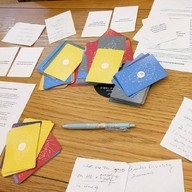
Generate question and QR code for friends to scan and play instantly.
Create a Conversation
3 simple steps to your own game.
1Draft
Type questions or click
AI Gen
to auto-create them.
2Mode
Use Direct for offline play. Hosted mode supports
massive lists.
3Share
Logged-in users can print or
Generate QR for
friends to scan & join!
Best for quick, small lists (~15 questions or under 1200 characters).
Data is stored directly inside the QR code.
Prefix:
0 selected
Lines: 0Ln: 10 / 1200 chars
Hosted File Mode
(for Huge Lists)
Advanced
Already have a raw .txt link? Skip straight to
Step 3.
1
Copy your questions
Draft them in the editor above, then click copy.
2
Upload to cloud
Paste into
Pastebin
,
Pastes.io
or similar services.
Important: Save as Public/Unlisted
3
Paste the Link
Note: This link overrides anything typed in the text editor
above.
Or try the prefilled
link
to our Global Curiosities deck on
GitHub
.
💡 Tip: Tap the top logo for home
|
Last synced: ---
Copied!
Bulk Add
Paste a raw list of questions here. Each line becomes a new card.
💡 Tip: Switch to the Edit Text tab for an advanced notepad-like interface.
💡 Tip: Tap Import in the top menu to load from text files, URLs, samples, and Core Decks.
Print Settings
Warning: Direct mode QR codes can be extremely dense. For
reliable scanning on paper, consider switching to
Hosted File Mode so the code only houses a short link.
0.9rem
0.8rem
0.8rem
💡 Tip: Save as PDF in the printer list (if supported by your
system)
Import Core Deck
Select a curated deck below to append its questions to your current
list.
Import Instructions
Supported:
Plain text files (.txt).
Format:
One question per line.
Note:
This will append the questions to your current
list.
Import from URL
Paste a direct link to a raw text file (.txt,
Pastebin
Raw,
Pastes.io
Raw, etc.) to append its questions to your list.
Or try the prefilled
link
to our Global Curiosities deck on
GitHub
.
Export to File
This will download a .txt file containing all your
current questions.
Use it as a backup.
Share the file with friends.
What would you like to share via QR code or link?
Are you sure you want to remove all custom questions?
Build a Deck in 3 Steps
1. Add Questions
Use the visual builder, click AI Gen, or
Bulk Import.
2. Choose Mode
Direct
for short lists. Hosted
for huge lists.
3. Share
Unlock tools to Generate QR and share
digitally.
Share Your Deck
Others can scan this to load your questions.
Heads up! This setup is highly detailed, making the
QR code dense and potentially hard to scan. If cameras struggle,
please use Copy Link or
Share below.
Share This App Page
Connection Issue
We cannot connect to required services.
Features like AI Generation and
Hosted Mode (Pastebin) might be blocked on your
network or region.
Good News:
The Direct QR mode (Standard Mode) will still work
completely offline!
List is Too Large
You have
characters, but Direct QR mode only reliably supports about 1,500.
Generating a QR code this dense might make it
unscannable for older smartphone cameras. We
highly recommend switching to Hosted Mode.
AI Deck
Builder
Shifts "wounds" to "wisdom", lowers the stakes, and actively
avoids heavy triggers.
AI will analyze and prefix questions: 🌱 Lite, 🌀 Deep (Medium
left blank).
3
Tip: Generating this many cards might exceed the
Direct QR size limit. Consider switching to Hosted Mode
if your camera struggles to scan it.
Remix Prompt
Shifts "wounds" to "wisdom" and actively avoids heavy triggers
during the rewrite.
AI will analyze and prefix the remixed question: 🌱 Lite, 🌀
Deep (Medium left blank).
AI Generation
How it works:
Your topic is sent to Pollinations.ai to generate
text.
Curious Souls Café does not store this data, but it is processed by
the external AI provider. Please do not input personal names or
secrets.
Experimental Feature
Results may vary. This feature relies on a free external API and is
subject to availability.
Curious Souls Café is not affiliated with Pollinations.ai.
Hosted Mode
Heads up:
This mode requires uploading your list to a third-party website
(like Pastebin or Pastes.io).
Please do not upload private or sensitive personal info, as we do
not control those platforms.
External ServiceCurious Souls Café is not affiliated with Pastebin, Pastes.io, or
any text hosting service.
We are not responsible for content hosted on these platforms.